# Test Coverage
**Requires [XDebug 3.0+](https://xdebug.org/docs/install/)** or [PCOV](https://github.com/krakjoe/pcov).
Test coverage (or code coverage) is a metric used to measure the percentage of code that is executed during testing. This can help developers identify parts of their code that may not be tested or that have low coverage, indicating a potential risk for bugs and other issues.
Typically, the essential configuration for gathering code coverage is already present in the `phpunit.xml` file provided by frameworks, or is generated by executing the `./vendor/bin/pest --init` command. If code coverage configuration is not present in your `phpunit.xml` file, you can add your own configuration to specify the paths in your project that should receive code coverage reporting.
```xml
...
./app
...
```
In addition to configuring your `phpunit.xml` file, you will also need to install [XDebug 3.0+](https://xdebug.org/docs/install/) or [PCOV](https://github.com/krakjoe/pcov) to generate a code coverage report. When utilizing XDebug, the `XDEBUG_MODE` environment variable must be configured as `coverage`.
Once you have configured your code coverage settings and installed a coverage driver, generating a code coverage report becomes effortless with the use of the `--coverage` option.
```bash
./vendor/bin/pest --coverage
```
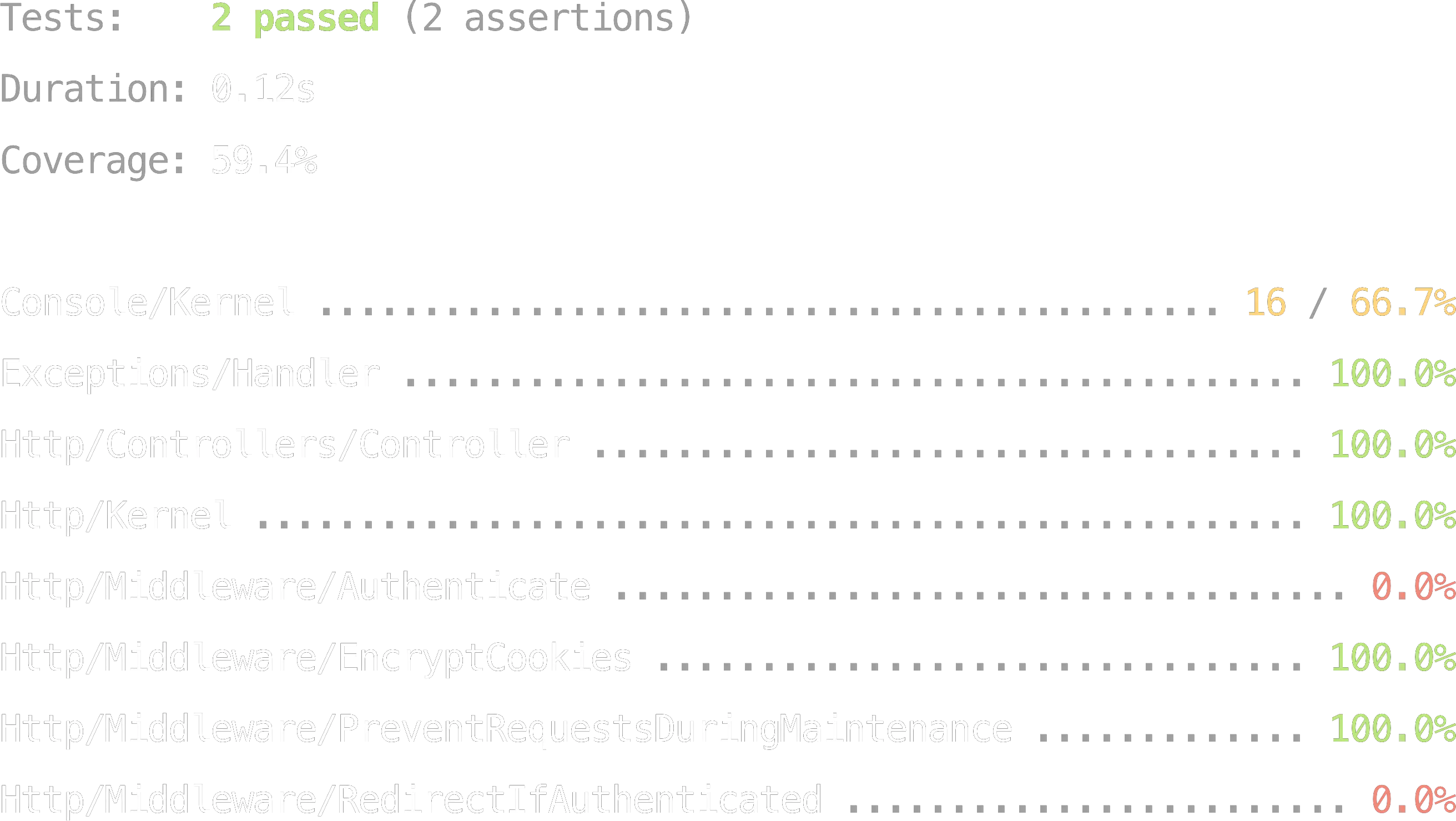
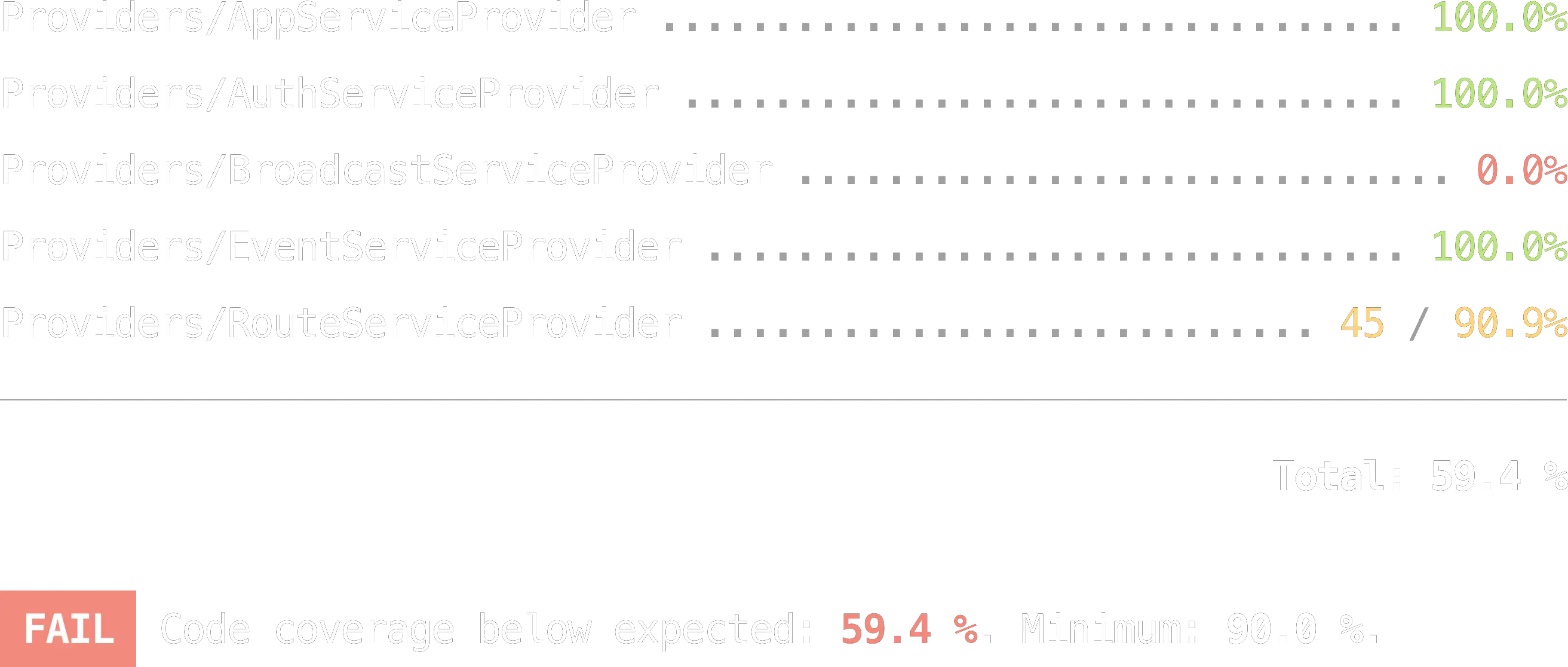
By utilizing the `--coverage` option, the test suite runs normally, but with the additional feature of displaying a list of project files and their corresponding coverage results.
If there are any uncovered lines in your current test suite, they will be highlighted in red and displayed using their respective line numbers. Multiple uncovered lines will be displayed with two dots (`..`) between them. For instance, if there is missing coverage between lines 52 and 60, you will see `52..60` instead of just `52` in red.
## Minimum Threshold Enforcement
To ensure comprehensive testing and maintain code quality, it is crucial to set minimum threshold values for coverage results. In Pest, you can use the `--coverage` and `--min` or `--exactly` options to define the minimum threshold values for coverage results. If the specified thresholds are not met, Pest will report a failure.
```bash
./vendor/bin/pest --coverage --min=90
```
Or, you can use the `--exactly` option to enforce that the coverage results match the specified value exactly.
```bash
./vendor/bin/pest --coverage --exactly=99.3
```
## Hiding Uncovered Files
When working on a large codebase, the coverage report can be noisy with many files showing 0% coverage. You can use the `--only-covered` option to hide files with no coverage from the report, allowing you to focus on the files that are partially covered.
```bash
./vendor/bin/pest --coverage --only-covered
```
This option can be combined with `--min` or `--exactly` for threshold enforcement.
```bash
./vendor/bin/pest --coverage --only-covered --min=90
```
## Ignoring Code
If there are certain sections of your application that cannot be tested and should be excluded from code coverage analysis, you can use `@codeCoverageIgnoreStart` and `@codeCoverageIgnoreEnd` comments in your source code to achieve this.
```php
// @codeCoverageIgnoreStart
function getUsers() {
//
}
// @codeCoverageIgnoreEnd
```
## Different Formats
Pest supports various code coverage report formats:
- `--coverage-clover `: Save the code coverage report in Clover XML format to a specified file.
- `--coverage-cobertura `: Save the code coverage report in Cobertura XML format to a specified file.
- `--coverage-crap4j `: Save the code coverage report in Crap4J XML format to a specified file.
- `--coverage-html `: Save the code coverage report in HTML format to a specified directory.
- `--coverage-php `: Serialize the code coverage data and save it to a specified file.
- `--coverage-text `: Save the code coverage report in text format to a specified file. (Default: php://stdout)
- `--coverage-xml `: Save the code coverage report in XML format to a specified directory.
---
In this chapter, we discussed test coverage and its ability to aid in determining the percentage of your application that is actually tested. In the following chapter, we will dive into Pest's Type Coverage Plugin: [Type Coverage](/docs/type-coverage)