# Team Management
With Pest, you can manage tasks and todos with your team directly from the console. You can create, assign, and track tasks, as well as view the status of each task.
## Setting Up Project
To get started with team management in Pest, you need to specify the project's URL in your `Pest.php` configuration file. This URL will be used to link todos to the corresponding project management system.
```php
pest()->project()->github('my-organization/my-repository');
```
If you are using a different version control system, you can use the `gitlab`, `bitbucket`, `jira`, or `custom` methods instead.
## Creating Todos
Typically, todos are linked to one or more tests that need to be passing. As such, tests can be used to track the progress of your todos / tasks. Pest provides a simple way to create todos by using the `todo()` method.
```php
it('has a contact page', function () {
//
})->todo();
```
When running your tests, Pest will inform you about any tests that are todos so you don't forget and see them in the test results.
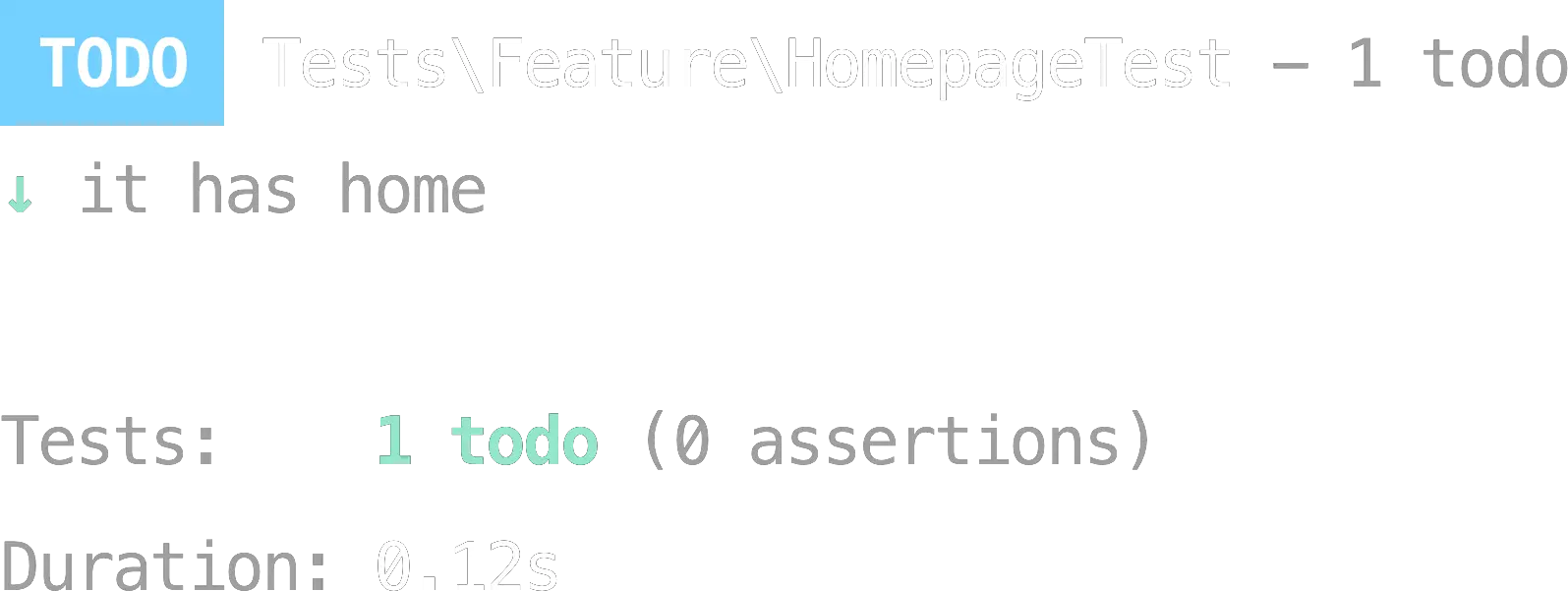
If you have one or more todos, you may want to view them separately from the rest of your test suite. You can do this by including the `--todos` option when running Pest.
```bash
./vendor/bin/pest --todos
```
## Assigning Todos
In some cases, you may want to assign a todo to a specific team member. Pest allows you to assign a todo to a specific team member by providing their name to the `assignee` argument of the `todo()` method.
```php
it('has a contact page', function () {
//
})->todo(assignee: 'nunomaduro');
```
You may assign multiple assignees by providing an array of names to the `assignee` argument. Also, you may filter todos by assignee by providing their name to the `--assignee` option when running Pest.
```bash
./vendor/bin/pest --todos --assignee=nunomaduro
```
## Set Corresponding Issues
Sometimes, todos are linked to issues in your project management system. Pest allows you to set the corresponding issue to a todo by providing the issue number to the `issue` argument of the `todo()` method.
```php
it('has a contact page', function () {
//
})->todo(issue: 123);
```
Just like with assignees, you may set multiple issues by providing an array of issue numbers to the `issue` argument. Also, you may filter todos by issue by providing the issue number to the `--issue` option when running Pest.
```bash
./vendor/bin/pest --todos --issue=123
```
## Set Corresponding PRs
Sometimes, todos are linked to pull requests in your version control system. Pest allows you to set the corresponding pull request to a todo by providing the pull request number to the `pr` argument of the `todo()` method.
```php
it('has a contact page', function () {
//
})->todo(pr: 123);
```
Just like with assignees, you may set multiple pull requests by providing an array of pull request numbers to the `pr` argument. Also, you may filter todos by pull request by providing the pull request number to the `--pr` option when running Pest.
```bash
./vendor/bin/pest --todos --pr=123
```
## Writing Notes for Todos
It is often helpful to provide additional context for a todo. Pest allows you to write notes for a todo by providing a string to the `note` argument of the `todo()` method.
```php
it('has a contact page', function () {
//
})->todo(note: <<wip(assignee: 'nunomaduro', issue: 123);
```
## Marking Todos as Done
Once a todo is completed, you can mark it as done by using the `done()` method. This method will remove the todo status from the test and mark it as a regular test while keeping all the context like assignees, issues, etc.
```php
it('has a contact page', function () {
//
})->done(assignee: 'nunomaduro', issue: 123);
```
## Combining Todos with Assignees, Issues, and PRs
You can combine todos with assignees, issues, and PRs to provide additional context and track the progress of your todos. This can be done using the `describe` group, and the `todo`, `assignee`, `issue`, and `pr` methods.
```php
describe('contacts', function () {
it('has a contact page', function () {
//
}))->issue(123); // or ->pr(123) etc
it('has a contact form', function () {
//
})->done(pr: 567);
})->wip(assignee: 'nunomaduro');
```
---
Next, we will explore browser testing with Pest, which allows you to test your application's user interface in a real browser environment. This is particularly useful for testing complex interactions and ensuring that your application behaves as expected from a user's perspective: [Browser Testing →](/docs/browser-testing)