# Optimizing Tests
Pest offers several optimization techniques to help developers write efficient and high-performing tests. One of the most important is parallel testing, which allows multiple tests to run simultaneously across multiple processes using the `--parallel` option. This can greatly reduce the time it takes to run tests and improve the overall performance of your test suite.
Additionally, Pest provides the `--profile` flag to quickly identify slow-running tests, allowing you to optimize their execution.
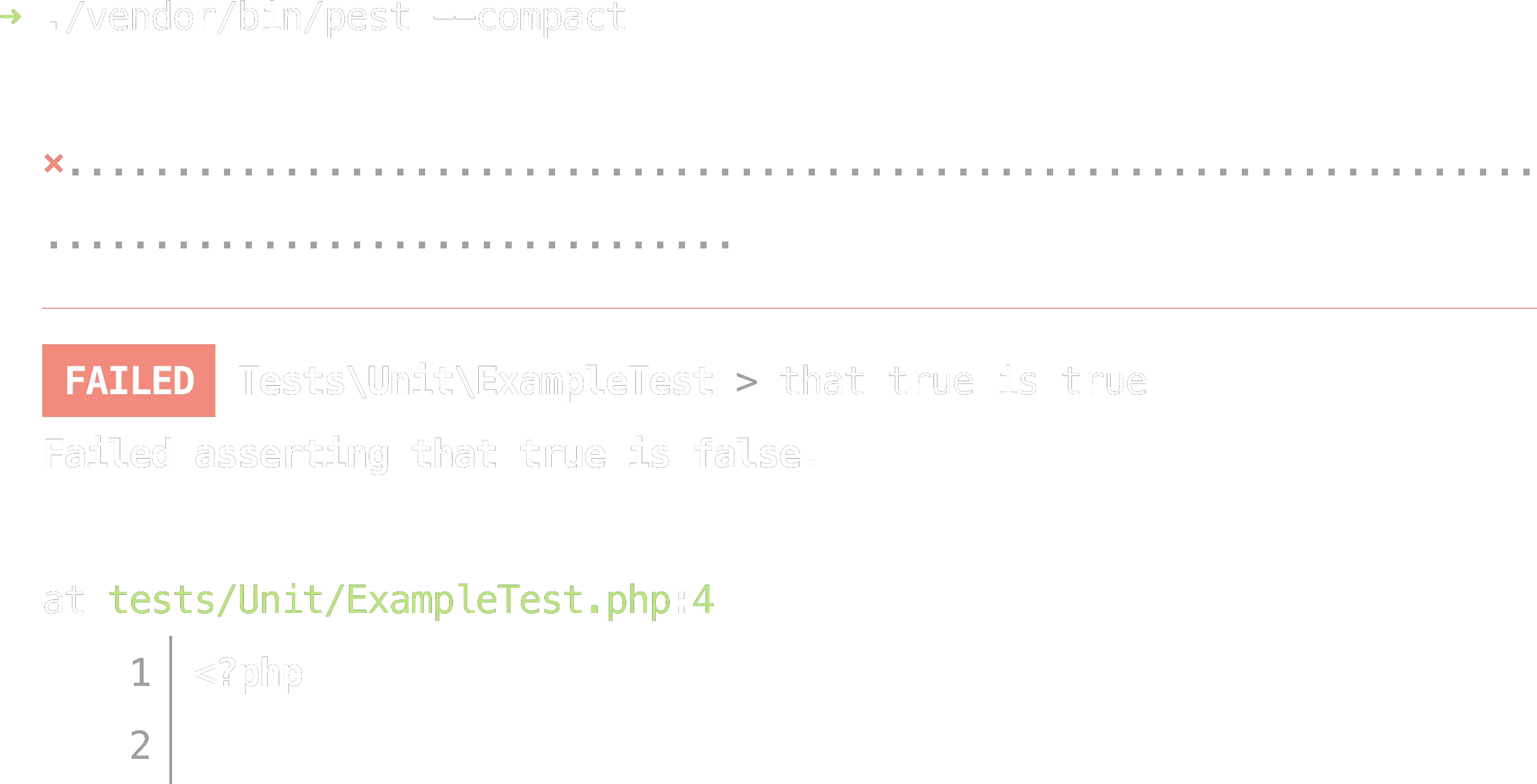
Finally, it's often useful to focus solely on your test suite's failures. To do this, you can utilize the `--compact` printer when running Pest. This instructs Pest to only display information regarding your test suite's failing tests.
## Parallel Testing
By default, Pest executes your tests sequentially within a single process. However, you can significantly decrease the time needed to run your tests by using the --parallel option to run them concurrently across multiple processes. If you’re running on Windows, be sure to use a WSL terminal.
```bash
./vendor/bin/pest --parallel
```
When running tests in parallel, Pest will create a process for each available CPU core on your machine. However, you can manually modify the number of processes using the `--processes` option.
```bash
./vendor/bin/pest --parallel --processes=10
```
Here are some important points to consider when writing tests that will be executed in parallel:
1. **Database resources may not be shared between tests**: Each test should be isolated and independent from other tests.
2. **Test order may not be guaranteed**: Tests should not rely on any specific order of execution.
3. **Tests may be affected by race conditions**: Race conditions can occur when multiple processes or threads are accessing shared resources. Make sure to design your tests to handle potential race conditions and avoid them whenever possible.
## Profiling
Imagine you have a large test suite that takes several minutes to run. You've noticed that some tests take significantly longer than others, but you're not sure which tests are the slowest or what's causing the slowdown.
To identify the slowest tests and optimize their execution, you can use Pest's `--profile` option. When you run your test suite with this flag enabled, Pest will collect the duration of each test and provide a report that highlights the slowest tests.
```bash
./vendor/bin/pest --profile
```
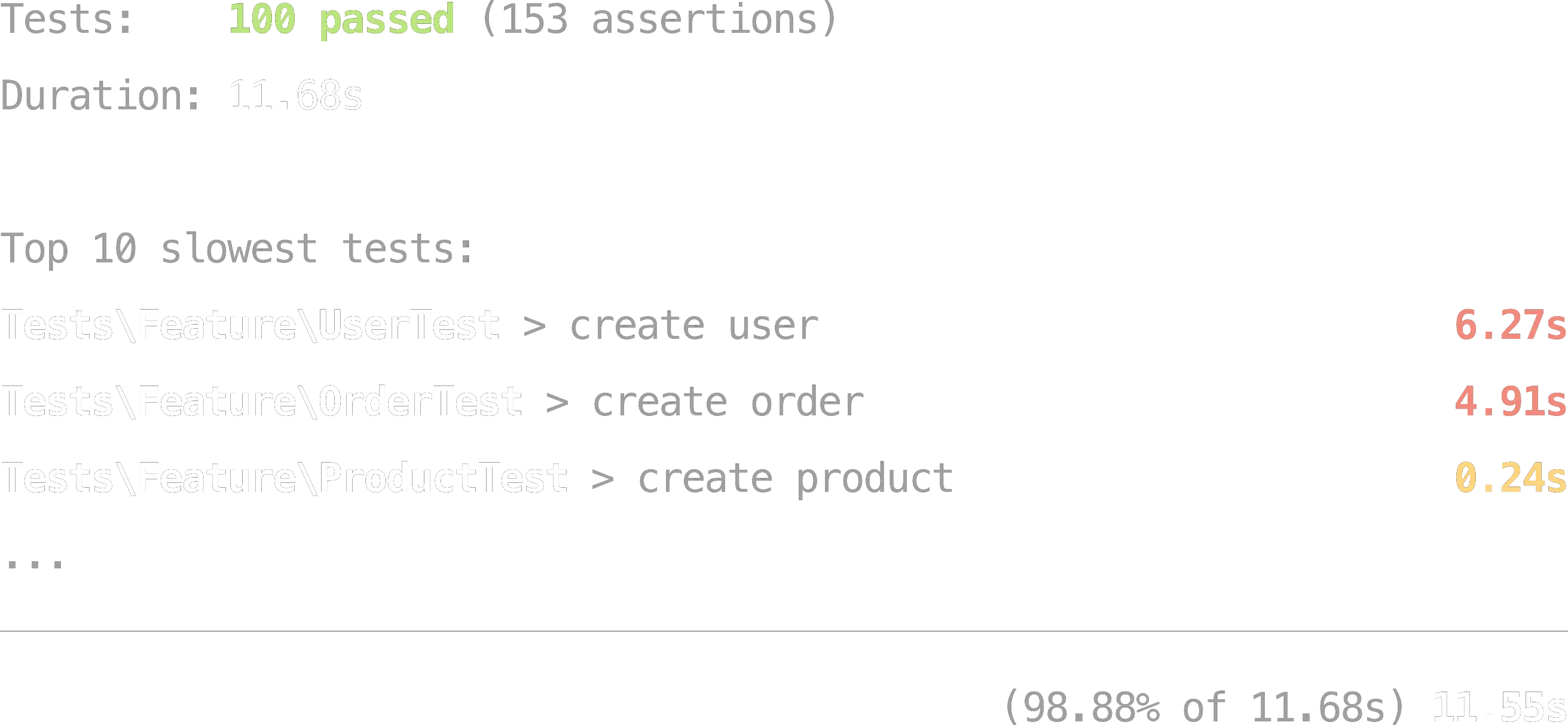
For example, imagine you run your test suite and see the following output:
You can see that the `UserTest > create user` and `OrderTest > create order` tests are taking significantly longer than the other tests. By analyzing this test, you may discover that it's executing several inefficient database queries or performing other expensive operations that could be optimized to reduce its execution time.
## Test Sharding
When running tests in CI, you can split your test suite across multiple jobs using the `--shard` option. Pest supports **time-balanced sharding** — instead of splitting tests evenly by count (which can leave one shard running much longer than others), Pest can distribute tests based on actual execution time.
To enable time-balanced sharding, generate a `tests/.pest/shards.json` file with timing data:
```bash
./vendor/bin/pest --update-shards
```
Then commit `tests/.pest/shards.json` to your repository. When `--shard` is used and this file exists, Pest automatically balances shards by time:
```bash
./vendor/bin/pest --shard=1/4
```
If you add new test files before updating `shards.json`, your tests will still run — new files are distributed evenly across shards while known files remain time-balanced. Pest will display a warning reminding you to run `--update-shards`.
For more details on configuring sharding in CI, including GitHub Actions examples, see [Continuous Integration - Sharding Your Tests](/docs/continuous-integration#sharding-your-tests).
## Compact Printer
If you're working with a large number of tests, it can be beneficial to concentrate solely on the failing tests. You can use the `--compact` printer to instruct Pest to only display test failures, making it easier to pinpoint and resolve any problems without the noise of all of your successful tests.
Furthermore, since the `--compact` printer produces simpler output, test speed can be improved by a few milliseconds since there is less input / output required for each test.
You may even configure Pest to always use the compact printer so you don't have to specify the `--compact` option every time you run your test suite.
```php
// tests/Pest.php
pest()->printer()->compact();
//
```
---
Now that you have learned how to speed up your test suite, let's move on to discussing Continuous Integration: [Continuous Integration](/docs/continuous-integration)