# Mutation Testing
- **[Get Started](#get-started)**
- **[Tested Vs Untested Mutations](#tested-vs-untested-mutations)**
- **[Minimum Threshold Enforcement](#minimum-threshold-enforcement)**
- **[Options & Modifiers](#options-and-modifiers)**
## Get Started
**Requires [XDebug 3.0+](https://xdebug.org/docs/install/)** or [PCOV](https://github.com/krakjoe/pcov).
Mutation Testing is an innovative new technique that introduces small changes (mutations) to your code to see if your tests catch them. This ensures you’re testing your application thoroughly, beyond just achieving code coverage and more about the actual quality of the tests. It’s a great way to identify weaknesses in your test suite and improve quality.
To get started with mutation testing, head over to your test file, and be specific about which part of your code your test covers using the `covers()` function or the `mutates` function.
```php
covers(TodoController::class); // or mutates(TodoController::class);
it('list todos', function () {
$this->getJson('/todos')->assertStatus(200);
});
```
Both the `covers` and `mutates` functions are identical when it comes to mutation testing. However, `covers` also affects the code coverage report. If provided, it filters the code coverage report to include only the executed code from the referenced code parts.
Then, run Pest PHP with the `--mutate` option to start mutation testing. Ideally, using the `--parallel` option to speed up the process.
```bash
./vendor/bin/pest --mutate
# or in parallel...
./vendor/bin/pest --mutate --parallel
```
Pest will then re-run your tests against "mutated" code and see if the tests are still passing. If a test is still passing against a mutation, it means that the test is not covering that specific part of the code. As, as result, Pest will output the mutation and the diff of the code.
```diff
UNTESTED app/Http/TodoController.php > Line 44: ReturnValue - ID: 76d17ad63bb7c307
class TodoController {
public function index(): array
{
// pest detected that this code is untested because
// the test is not covering the return value
- return Todo::all()->toArray();
+ return [];
}
}
Mutations: 1 untested
Score: 33.44%
```
Once you have identified the untested code, you can write additional tests to cover it.
```diff
covers(TodoController::class);
it('list todos', function () {
+ Todo::factory()->create(['name' => 'Buy milk']);
- $this->getJson('/todos')->assertStatus(200);
+ $this->getJson('/todos')->assertStatus(200)->assertJson([['name' => 'Buy milk']]);
});
```
Then, you can re-run Pest with the `--mutate` option to see if the mutation is now "tested" and covered.
```bash
Mutations: 1 tested
Score: 100.00%
```
The higher the mutation score, the better your test suite is. A mutation score of 100% means that all mutations were "tested", which is the goal of mutation testing.
Now, if you see "untested" or "uncovered" mutations, or are a mutation score below 100%, typically means that you have **missing tests** or that **your tests are not covering all the edge cases**.
Our plugin is deeply integrated into Pest PHP. So, each time a mutation is introduced, Pest PHP will:
- **Only run the tests covering the mutated code** to speed up the process.
- **Cache as much as possible** to speed up the process on subsequent runs.
- If enabled, use **parallel execution to run multiple tests** in parallel to speed up the process.
## Tested Vs Untested Mutations
When running mutation testing, you will "mainly" see two types of mutations: **tested** and **untested** mutations.
- **Tested Mutations**: These are mutations that were detected by your test suite. They are considered "tested" because your tests were able to catch the changes introduced by the mutation.
As example, the following mutation is considered "tested" because the test suite was able to detect the change.
```diff
class TodoController
{
public function index(): array
{
- return Todo::all()->toArray();
+ return [];
}
}
it('list todos', function () {
Todo::factory()->create(['name' => 'Buy milk']);
// this fails because the mutation changed the return value, proving that the test is working and testing the return value...
$this->getJson('/todos')->assertStatus(200)->assertJsonContains([
['name' => 'Buy milk'],
]);
});
```
- **Untested Mutations**: These are mutations that were not detected by your test suite. They are considered "untested" because your tests were not able to catch the changes introduced by the mutation.
As example, the following mutation is considered "untested" because the test suite was not able to detect the change.
```diff
class TodoController
{
public function index(): array
{
- return Todo::all()->toArray();
+ return [];
}
}
it('list todos', function () {
Todo::factory()->create(['name' => 'Buy milk']);
// this test still passes even though the return value was changed by the mutation...
$this->getJson('/todos')->assertStatus(200);
});
```
Changing the return value is only one of many possible mutations. Typically, a mutation can be a change in the return value, a change in the method call, a change in the method arguments, and so on.
## Minimum Threshold Enforcement
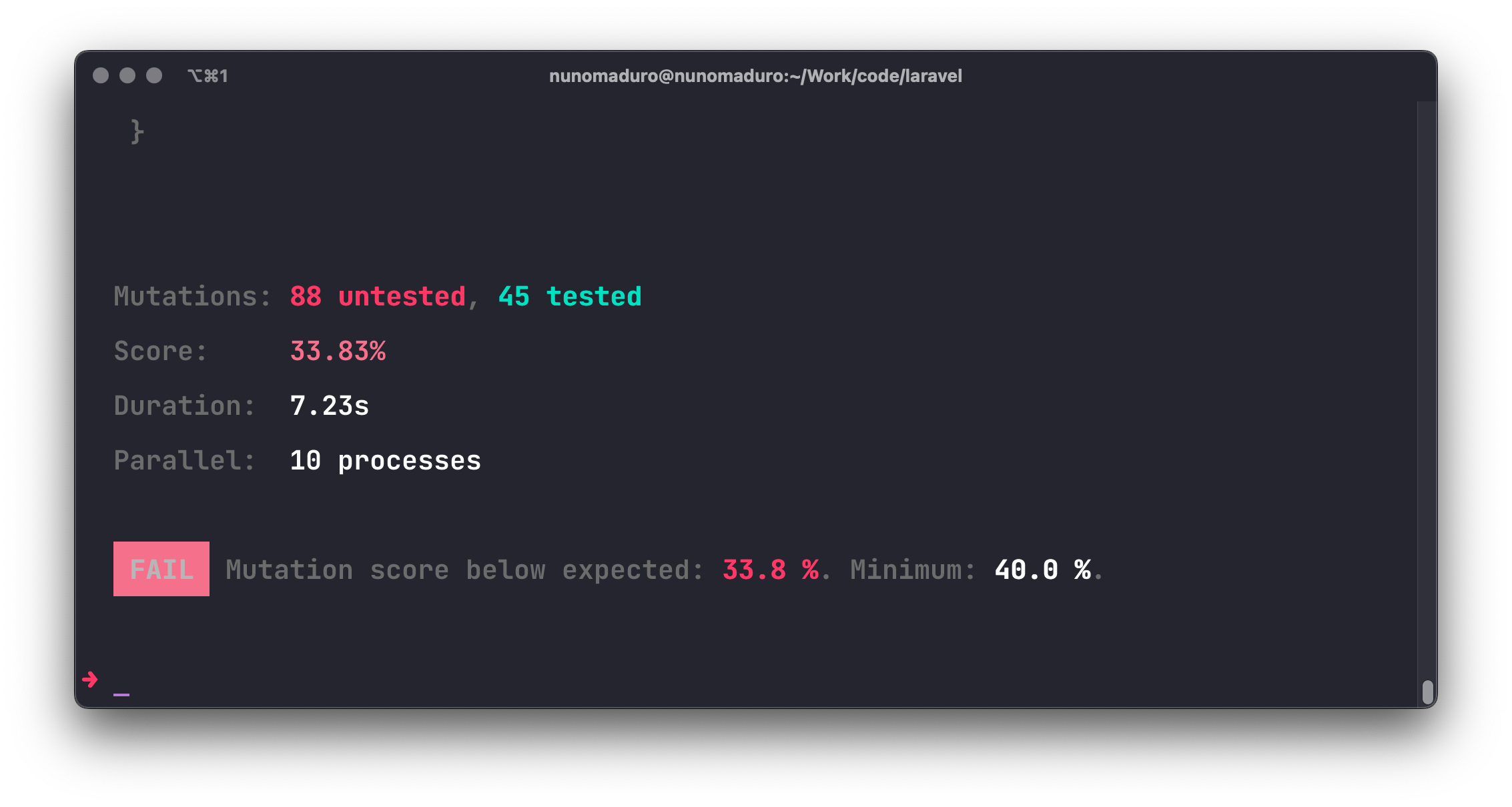
To ensure comprehensive testing and maintain testing quality, it is crucial to set minimum threshold values for mutation testing results. In Pest, you can use the `--mutation` and `--min` options to define the minimum threshold values for mutation testing score results. If the specified thresholds are not met, Pest will report a failure.
```bash
./vendor/bin/pest --mutate --min=40
```
 ## Options & Modifiers
The following options and modifiers are available when running mutation testing.
## Options & Modifiers
The following options and modifiers are available when running mutation testing.
- [`@pest-mutate-ignore`](#pest-mutate-ignore)
- [`--id`](#id)
- [`--everything`](#everything)
- [`--covered-only`](#covered-only)
- [`--bail`](#bail)
- [`--class`](#class)
- [`--ignore`](#ignore)
- [`--clear-cache`](#clear-cache)
- [`--no-cache`](#no-cache)
- [`--ignore-min-score-on-zero-mutations`](#ignore-min-score-on-zero-mutations)
- [`--profile`](#profile)
- [`--retry`](#retry)
- [`--stop-on-uncovered`](#stop-on-uncovered)
- [`--stop-on-untested`](#stop-on-untested)
### `@pest-mutate-ignore`
Ignore the given line of code when generating mutations.
```php
public function rules(): array
{
return [
'name' => 'required',
'email' => 'required|email', // @pest-mutate-ignore
];
}
```
> [!NOTE]
> Lines that aren't considered executable will always be marked as UNCOVERED.
For such cases, like with model properties, you may apply `@pest-mutate-ignore` in the following way.
```php
/**
* @pest-mutate-ignore
*/
protected $guarded = [
'id',
'created_at',
'updated_at',
];
/**
* @pest-mutate-ignore
*/
protected $hidden = [
'id',
'created_at',
'updated_at',
];
```
### `--id`
Run only the mutation with the given ID. Note, you need to provide the same options as the original run.
```bash
./vendor/bin/pest --mutate --id=ecb35ab30ffd3491
```
### `--everything`
Generate mutations for all your project's classes, bypassing the `covers()` method. This option is very resource-intensive and should be used combined with the `--covered-only` option.
```bash
./vendor/bin/pest --mutate --everything --parallel --covered-only
```
Ideally, you would also combine the `--parallel` option to speed up the process.
### `--covered-only`
Only generate mutations in the lines of code that are covered by tests.
```bash
./vendor/bin/pest --mutate --covered-only
```
### `--bail`
Stop mutation testing execution upon the first untested or uncovered mutation.
```bash
./vendor/bin/pest --mutate --bail
```
### `--class`
Generate mutations for the given class(es). E.g. `--class=App\Models`.
```bash
./vendor/bin/pest --mutate --class=App\Models
```
### `--ignore`
Ignore the given class(es) when generating mutations. E.g. `--ignore=App\Http\Requests`.
```bash
./vendor/bin/pest --mutate --ignore=App\Http\Requests
```
### `--clear-cache`
Clears the mutation cache and runs mutation testing from scratch.
```bash
./vendor/bin/pest --mutate --clear-cache
```
### `--no-cache`
Runs mutation testing without using cached mutations.
```bash
./vendor/bin/pest --mutate --no-cache
```
### `--ignore-min-score-on-zero-mutations`
Ignore the minimum score requirement when there are no mutations.
```bash
./vendor/bin/pest --mutate --min=80 --ignore-min-score-on-zero-mutations
```
### `--profile`
Output to standard output the top ten slowest mutations.
```bash
./vendor/bin/pest --mutate --profile
```
### `--retry`
Run untested or uncovered mutations first and stop execution upon the first error or failure.
```bash
./vendor/bin/pest --mutate --retry
```
### `--stop-on-uncovered`
Stop mutation testing execution upon the first untested mutation.
```bash
./vendor/bin/pest --mutate --stop-on-uncovered
```
### `--stop-on-untested`
Stop mutation testing execution upon the first untested mutation.
```bash
./vendor/bin/pest --mutate --stop-on-untested
```
---
As you can see Pest PHP's mutation testing feature is a powerful tool to improve the quality of your test suite. In the following chapter, we explain how can you use Snapshots to test your code: [Snapshot Testing](/docs/snapshot-testing)